eSIM
eSIM Watch Travel Guide for Smart Travelers
Even if your smartwatch cannot install a travel eSIM, pairing it with a Nomad eSIM phone keeps your eSIM watch useful on every trip, from boarding alerts to tap-to-pay.
Traveling with a smartwatch adds a layer of convenience to every trip. From boarding alerts at the airport to tap-to-pay at cafés, quick translations on the go, and safety check-ins while exploring a new neighborhood, the right information shows up exactly when you need it — all from your wrist.
But when you’re abroad, your smartwatch’s usefulness depends entirely on how it stays connected. And that’s where many travelers get confused. Some watches can connect on their own, while others rely on your phone’s data to stay functional.
The important part is understanding how to keep it connected throughout your trip. That’s where Nomad eSIM comes in, ensuring your phone – and your smartwatch right alongside it, stays online wherever you travel.

How eSIM Watches Really Work When You Travel
Smartwatches stay connected in two primary ways, and understanding the difference helps set the right expectations before your trip.
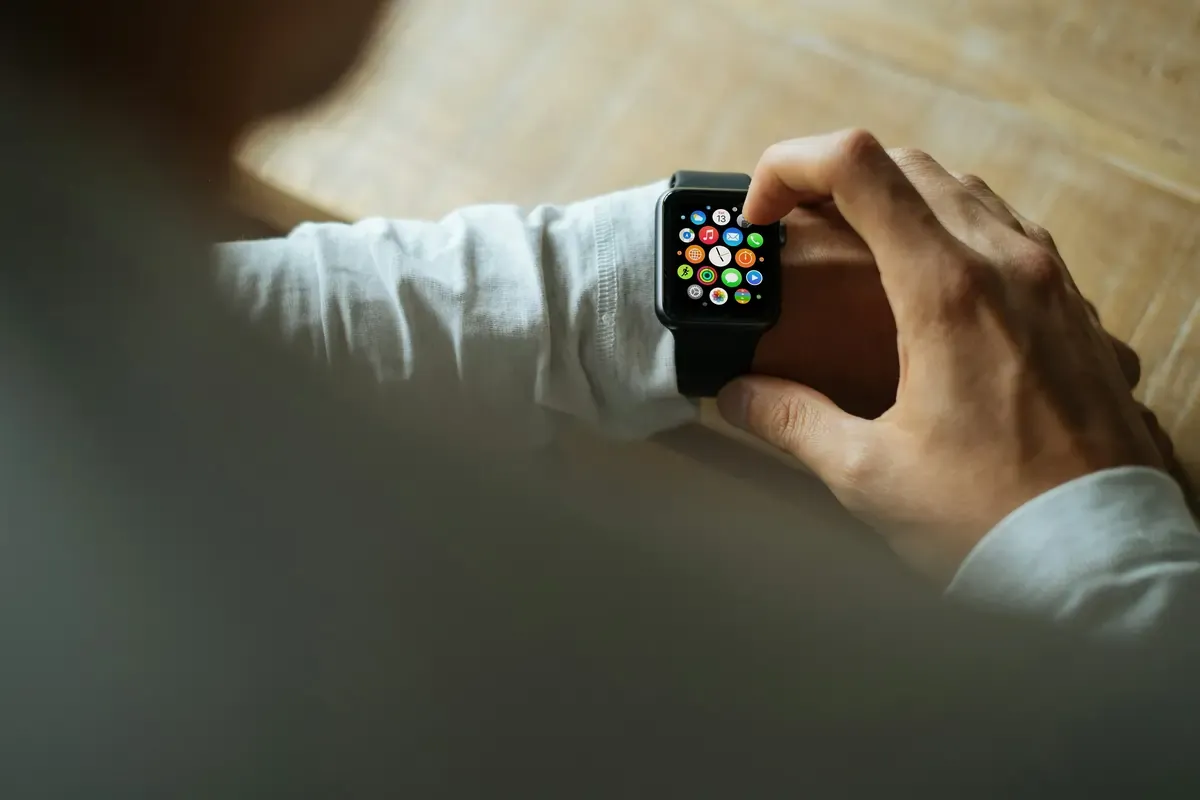
Paired Mode: The Most Reliable Setup Your smartwatch connects through your phone using Bluetooth, Wi-Fi, or a companion/tethered mode to stay linked to your phone. In this setup, the watch doesn’t need its own plan. It simply mirrors whatever your phone is doing. That means it is now more important than ever for your phone to be eSIM compatible and stay connected.
Standalone eSIM: Why It Rarely Works for Travel Some models — like Apple Watch Cellular, Samsung LTE watches, or certain eSIM android wearables — are marketed as having their own smartwatch with cellular connectivity. But here’s the important part:
- Most require a carrier-linked service like NumberShare.
- Many only activate with the original carrier in your home country.
- Very few accept independent travel eSIM profiles.
This means that even if your watch can technically host an eSIM, it often cannot install a travel eSIM like Nomad eSIM.
Bottom Line: Most Travelers Still Rely on Their Phone
Because of these regional and carrier limitations, the vast majority of travelers rely on paired mode. It’s simple, familiar, and works exactly like it does at home.
- Install Nomad eSIM on your eSIM compatible phone (whether that’s an Apple eSIM iPhone or a Samsung eSIM / eSIM android device).
- Keep your watch paired to that phone.
- Let your eSIM watch quietly benefit from your Nomad eSIM connection in the background.
Why a Connected Smartwatch Makes Travel Feel Effortless
A connected smartwatch becomes especially powerful when you are navigating somewhere new. Paired with your Nomad eSIM phone, it keeps you informed in the moments that matter most, without constantly pulling your phone out.
Travel Moments Made Easier With an eSIM Watch
These are the key travel situations where a paired eSIM watch shines, all powered by Nomad eSIM on your phone:
- Stay On Track at the Airport Gate changes, boarding alerts, and flight updates appear instantly on your wrist while you are moving through terminals or security. You do not have to stop, unlock your phone, or refresh an app; your Nomad eSIM data keeps updates flowing quietly in the background.
- Tap-to-Pay Without Reaching for Your Phone When your watch is linked to your wallet apps through your Nomad eSIM-connected phone, tap-to-pay becomes effortless. Buy transit tickets, grab coffee, or pay at convenience stores without fumbling for your phone or card.
- Navigate Transit Seamlessly Real-time MRT, subway, and bus directions are easier to follow when they are glanceable on your wrist. Your smartwatch mirrors navigation from your phone, letting you check your next stop or transfer without blocking a busy platform or sidewalk.
- Get Real-Time Translations on Your Wrist Short translation prompts for phrases, directions, or menu terms can pop up on your watch while the phone runs the translation app over Nomad eSIM data. This makes it easier to respond quickly without juggling devices.
- Stay Safe While Exploring New Neighborhoods Safety check-ins, location sharing, and notification-based alerts feel more accessible when they appear on your wrist. If your phone is in your bag or pocket, your watch still surfaces what matters most, powered by your Nomad eSIM connection.
Even if your smartwatch with cellular connectivity cannot install its own travel eSIM, Nomad eSIM on your phone keeps it useful throughout your trip. As long as your phone is online, your eSIM watch stays in sync.
How Nomad eSIM Keeps Your Smartwatch Online Abroad
Nomad eSIM turns your phone into the connectivity anchor for your entire setup. Your watch does not need its own travel plan; it just needs a stable link to your phone.
One Plan That Powers Both Devices
Instead of juggling a phone plan and a separate watch subscription, you choose a single Nomad eSIM plan for your phone. Your smartwatch then uses that same connection through pairing, without extra setup or billing.
Data Access in Popular Travel Destinations
Nomad eSIM partners with local carriers so you can access mobile data in many popular travel areas across supported destinations. Actual coverage and speeds depend on local networks, your device, and where you are using it.
Quick, Stress-Free Activation
Install your Nomad eSIM before departure and follow the setup steps on your Apple eSIM or eSIM android phone. Once you land, your phone can connect to the local network, and your watch follows automatically as it pairs.
Flexible Plans for Different Travel Styles
Whether you prefer a light data bundle, a larger plan, or even consider an Unlimited eSIM option on your phone for heavier use, Nomad eSIM offers a range of eSIM plans so you can choose what best matches your trip length and habits.
Tips to Travel Smarter With Your Smartwatch and Nomad eSIM
Nomad eSIM becomes the central hub that keeps both your phone and smartwatch online. A few simple steps before and during your trip help your setup work smoothly:
- Pair your devices before departure Make sure your watch and phone are fully synced at home. Confirm that notifications, payments, and travel apps work the way you expect.
- Check that your devices are eSIM compatible Confirm that your phone supports an eSIM and that your watch is compatible with your phone model. An eSIM compatible iPhone or Samsung eSIM-ready Android device is the foundation of your travel setup.
- Enable roaming and keep Bluetooth on Turn on data roaming for your Nomad eSIM plan if needed and keep Bluetooth active so your watch stays within range and connected while you move.
- Keep both phone and watch charged Portable power banks are especially handy on long transit days. A charged phone means a connected eSIM watch.
- Use battery-saving modes while exploring Enable battery-saving settings that still allow notifications and essential connectivity. This helps your phone maintain the Nomad eSIM connection while your watch continues to show key alerts.
Frequently Asked Questions
How will my smartwatch stay connected abroad?
If the smartwatch supports a standalone eSIM, it can stay connected using a Nomad eSIM installed directly on the watch. If it doesn’t, it will stay connected by pairing it to your phone with a Nomad eSIM.
Do I need a separate eSIM plan for my watch?
In most cases, no. Your smartwatch can stay connected through your phone’s eSIM data.
Can I install Nomad eSIM directly on my smartwatch?
Some smartwatches require carrier-linked activation and may not support standalone travel eSIMs. Your phone’s Nomad eSIM connection will still keep your watch online when paired.
Does installing Nomad eSIM on my smartwatch affect my phone number or messaging apps?
No. Your phone number stays active, and messaging apps work as usual through your mobile data or Wi-Fi connection.
Getting Started: Pick the Right Nomad eSIM Plan for Your Trip
Choose your Nomad eSIM plan based on where you are going, how long you will be there, and how heavily you use data for navigation, streaming, and background apps. Install your Nomad eSIM before departure so your phone is ready to connect as soon as you land. Once your phone is online, your smartwatch will follow effortlessly through pairing, giving you a fully connected eSIM watch experience without needing a separate travel plan.
Nomad eSIM Free Trial
Try Nomad eSIM risk-free with our free trial — no contracts, no commitment. Set up in minutes, enjoy secure connectivity, and manage everything easily through the Nomad eSIM app.